

What is RAVE Alert/Smart911?
RAVE Alert is integrated with the Smart911 system, but they serve different purposes. RAVE Alert is the City of Rogers’ emergency alert notification system, which sends alerts via phone call, text message, and email to the public during emergencies. Smart911 is an enhanced public safety app that allows users to create a safety profile with vital information, such as home address, phone number, special needs, and emergency contact information that can be utilized by responders in the event of an emergency. Smart911 users can also receive targeted alerts from the National Weather Service. Both services are free and at no cost.
How does the alerting work?
When an emergency meets the criteria for sending out an alert to the public, the City of Rogers will gather the necessary information and send an alert to the affected area via RAVE. Alerts can be sent to everyone who has opted in to the system via RAVE or Smart911, or a specific targeted area for more localized incidents.
What kind of emergency alerts go out?
Critical and targeted messages. Every individual registered in the system can receive emergency alerts via phone call, text message, and email; this is dependent on which delivery method the user chooses.
Why should I sign up for RAVE Alert/Smart911?
Make sure you receive critical alerts. Rogers uses the integration between RAVE and Smart911 to send official, real-time alerts to the public. RAVE Alert uses a publicly available list of landline phone numbers for residents and businesses; however, many people use cell phones, and these phone numbers aren’t in the system.
-
A Safety Profile is a set of information about an individual, or a household, that is contained within one account on Smart911.com. Information can include details about all members of the household, all phone numbers (mobile, landline or VOIP) and all addresses including home, work and even vacation homes. Users can also add details about medical conditions, medications, vehicles, pets and even emergency contacts.
-
You can include as little or as much information in your profile as you like. Information may include address, medical and security information. This service is voluntary, so you decide what information you want emergency responders to know about you when you call 9-1-1.
-
Anyone can create a safety profile. Those that are especially encouraged to sign up are people with medical or disability information. Wireless phone users are also encouraged, as wireless phone calls to 9-1-1 only provide a general location of the caller, not an exact address. Adding your home, school and work addresses (including apartment and room numbers) can help responders locate you more easily.
-
Setting up a profile can take as little as 5-10 minutes, depending on how much information you wish to provide. You can always go back and update existing information or add additional information to your profile.
-
When you complete registration, Smart911 will automatically direct you to your Smart911 Safety Profile and will send a message to your registered email address confirming your account. Smart911 will not deliver your Safety Profile to 9-1-1 answering centers unless you have verified the phone(s) listed in your profile by responding to the text message or automated call placed to that phone. To confirm your account and insure your information is available to 911, your profile must be associated with a phone number.
-
The information you provide to RAVE Alert/Smart911 is only used to send emergency alerts and assist first responders. It is not shared, sold, or made available to outside organizations. Your Smart911 safety profile is not searchable. In some areas, you can choose to allow Smart911 to share your profile with other Emergency Communication Centers or Emergency Management Departments if they utilize Smart911.
Register by clicking the link below or text RogersMN to 67283
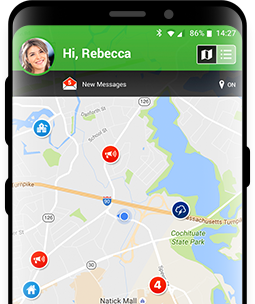
Get the Mobile App Now!
Download the Smart911 App today and have life-saving capabilities at your fingertips, 24/7.
Smart911 Sign Up Video Tutorial
Setting up a profile can take as little as 5-10 minutes, depending on how much information you wish to provide. You can always go back and update existing, or add additional information to your profile.